> ## Documentation Index
> Fetch the complete documentation index at: https://upstash-dependabot-npm-and-yarn-llms-multi-c08e63791c.mintlify.site/llms.txt
> Use this file to discover all available pages before exploring further.
# Resume
The **Resume** action allows you to continue a failed workflow run from the exact point of failure, preserving all successfully completed steps and their results.
This approach is ideal when:
* The workflow has long-running or resource-intensive steps that have already succeeded.
* You want to preserve progress and avoid re-executing successful operations.
* The failure was a temporary issue that can now be resolved.
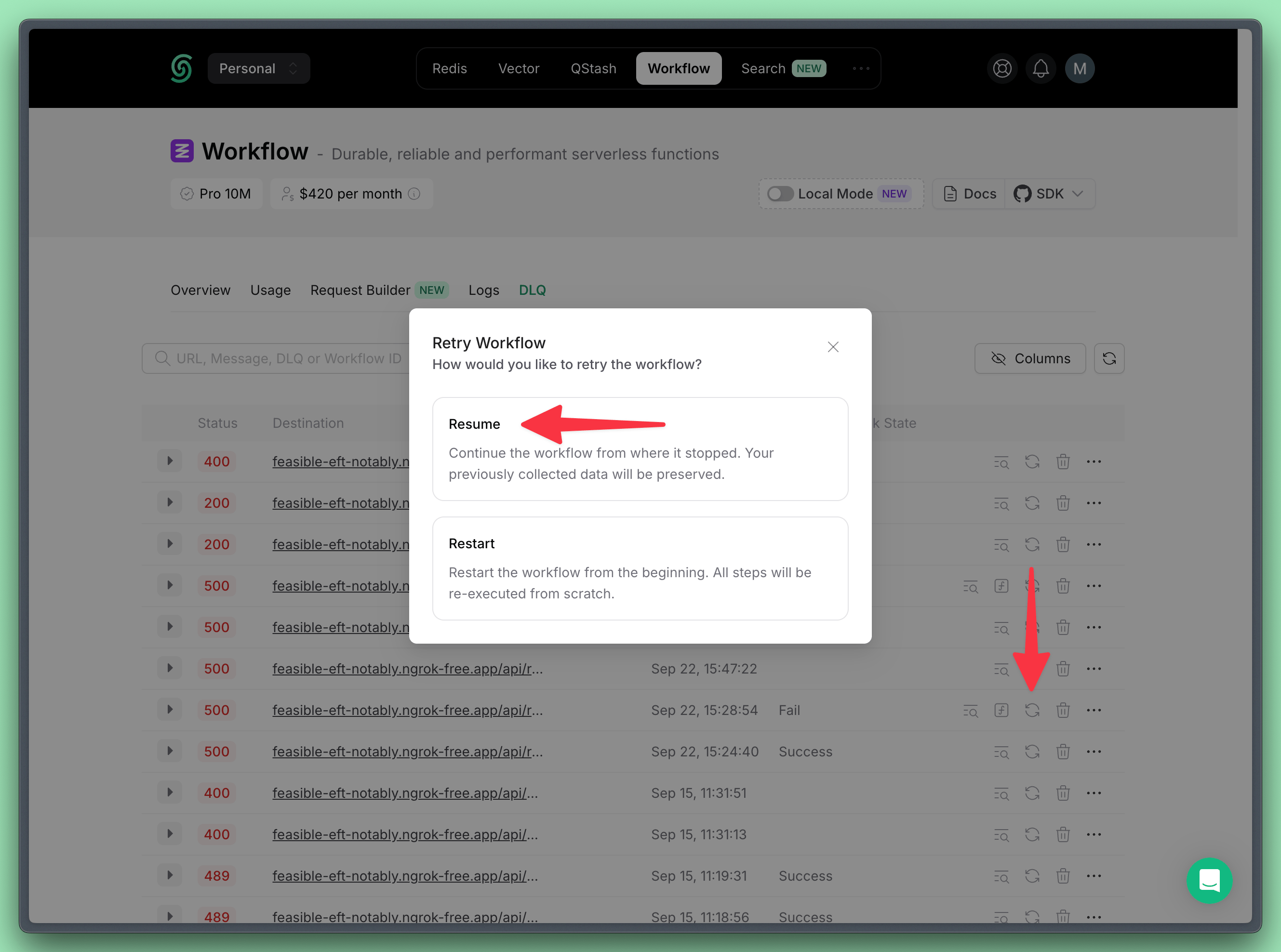 You can perform this action programmatically as well:
```typescript TypeScript theme={null}
import { Client } from "@upstash/workflow";
const client = new Client({ token: "" });
await client.dlq.resume({
dlqId: "dlq-12345",
retries: 3,
});
```
You can modify workflow code as long as changes occur **after** the failed steps.
Changes to steps prior to the failure are not allowed and may break the workflow.
For more details, check out the [Handle workflow route code changes](/workflow/howto/changes) page.
You can perform this action programmatically as well:
```typescript TypeScript theme={null}
import { Client } from "@upstash/workflow";
const client = new Client({ token: "" });
await client.dlq.resume({
dlqId: "dlq-12345",
retries: 3,
});
```
You can modify workflow code as long as changes occur **after** the failed steps.
Changes to steps prior to the failure are not allowed and may break the workflow.
For more details, check out the [Handle workflow route code changes](/workflow/howto/changes) page.